Word Counter: Why Isn’t Your Word Count Adding Up?
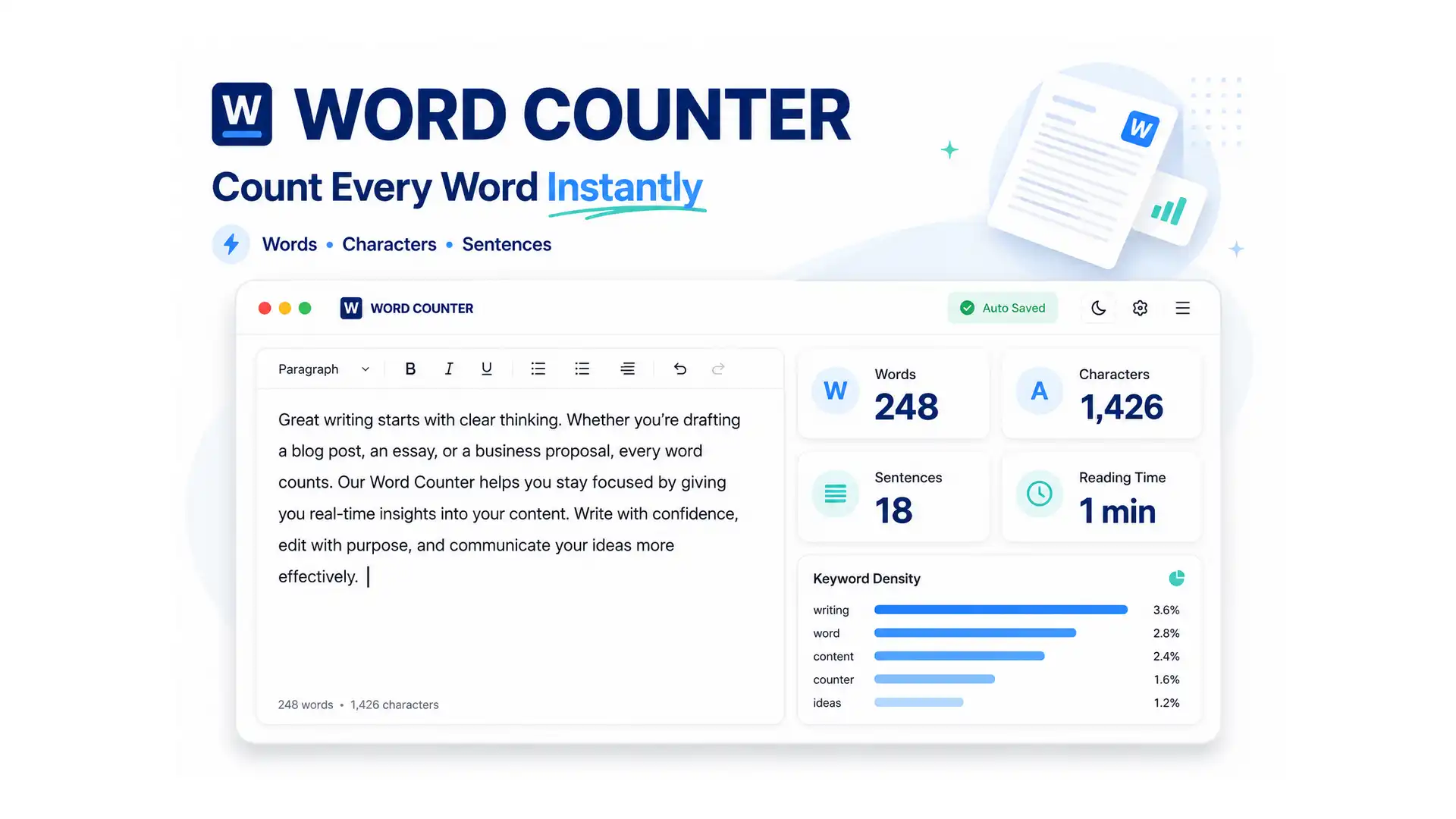
You paste your essay into a word counter and the number looks wrong — too high, too low, or stuck at zero. Usually it’s not the tool that’s broken; it’s a mismatch in what’s actually being counted, like extra line breaks, pasted formatting, or a character count instead of a word count. ToolFlexy’s free word counter tracks 8 live statistics as you type, so you always know exactly what you’re looking at.
This guide covers what a word counter actually measures, why counts sometimes look off, and how word count, character count, and reading time differ from each other.
What Is a Word Counter?
A word counter is a tool that counts the words, characters, sentences, and paragraphs in a piece of text, usually alongside estimated reading and speaking time. ToolFlexy’s word counter recalculates all of this in real time as you type or paste — there’s no separate button to click, and no length limit on the text you enter.
How to Use ToolFlexy’s Word Counter
- Paste or type your text. There’s no restriction on length, from a short caption to a full document.
- Watch the stats update live. Word count, character count, sentence count, and paragraph count all recalculate instantly as you type or paste.
- Check reading and speaking time. Estimates are based on average adult reading and speaking speeds.
- Export if needed. Download your text as a plain text or HTML file, or generate a printable statistics report.
What This Word Counter Actually Measures
| Metric | What It Tells You |
|---|---|
| Word count | Total number of words in your text |
| Character count (with spaces) | Total characters including spaces — used for most platform limits |
| Character count (without spaces) | Letters, numbers, and punctuation only — no spaces counted |
| Sentence count | Total number of sentences |
| Paragraph count | Total number of paragraphs |
| Reading time | Estimated time to read the text silently |
| Speaking time | Estimated time to read the text aloud |
| Readability score | A general measure of how easy the text is to read |
Why Your Word Count Might Look Wrong
- You’re reading a character count instead of a word count. A 500-character count and a 500-word count are very different numbers — always check which metric you’re actually looking at.
- Pasted formatting adds hidden characters. Text copied from a PDF or web page sometimes carries extra line breaks or spacing that changes the count slightly.
- The count shows 0 because nothing pasted correctly. If the text box is empty or the paste didn’t register, the counter has nothing to measure — try pasting again as plain text.
- You’re comparing counts across two different tools. Small differences between tools can come from how each one handles hyphenated words, numbers, or special characters.
Word Counter vs. Character Counter: What’s the Difference?
A word counter counts whole words, while a character counter counts individual letters, numbers, spaces, and punctuation marks. Both matter for different reasons — a word count tells you the length of an essay or article, while a character count matters for platforms with strict character limits, like a tweet, an SEO meta description, or a text message. ToolFlexy tracks both at once, along with character count with and without spaces, so you don’t need a separate tool for each.
Why Reading and Speaking Time Matter
Reading time and speaking time estimates are based on average adult reading speeds of roughly 200-250 words per minute. This is useful well beyond casual curiosity — writers use it to gauge how long a blog post will take to read, and speakers use it to time a script or presentation before ever standing up to deliver it.
Who Uses a Word Counter?
- Students and academics checking an essay or paper against a required word count.
- Writers and bloggers tracking article length and estimated reading time.
- Social media managers staying within character limits for posts and captions.
- SEO professionals keeping meta titles and descriptions within their character limits.
- Speakers and presenters timing a script before delivering it.
Is a Word Counter Worth Using Online?
Yes, particularly compared to relying only on a word processor’s built-in counter. When you count words online instead, the tool works instantly on pasted text from any source, shows all 8 metrics at once instead of just one number, and requires no software or account. ToolFlexy’s version processes everything locally in your browser, so nothing you paste is uploaded to or stored on a server.
Explore More Free Text Tools on ToolFlexy
Word counting often pairs with a couple of other quick text tasks. A few tools worth checking out:
- Check grammar and spelling once you’ve confirmed your text is the right length.
- Clean up extra spaces and formatting before counting, especially for text pasted from a PDF or webpage.
- Fix text capitalization alongside checking its length.
Estimated reading times across the web are commonly based on an average adult silent reading speed of around 200-250 words per minute, a range widely cited in reading-speed research — which is why a word counter’s reading time estimate is a useful planning number, not an exact guarantee for every reader.
Conclusion
A word count that looks wrong is almost always a matter of checking the right metric or clearing a formatting issue, not a broken tool. ToolFlexy’s free word counter tracks word count, character count, sentence count, paragraph count, reading time, speaking time, and readability all at once, updating live as you type — with nothing uploaded and no sign-up required.