
Image Compressor
Compress images online to reduce file size, improve website speed, and optimize image performance without noticeable quality loss.
75%
🗂
Upload images to see results here
How to Use Image Compressor
Step 1
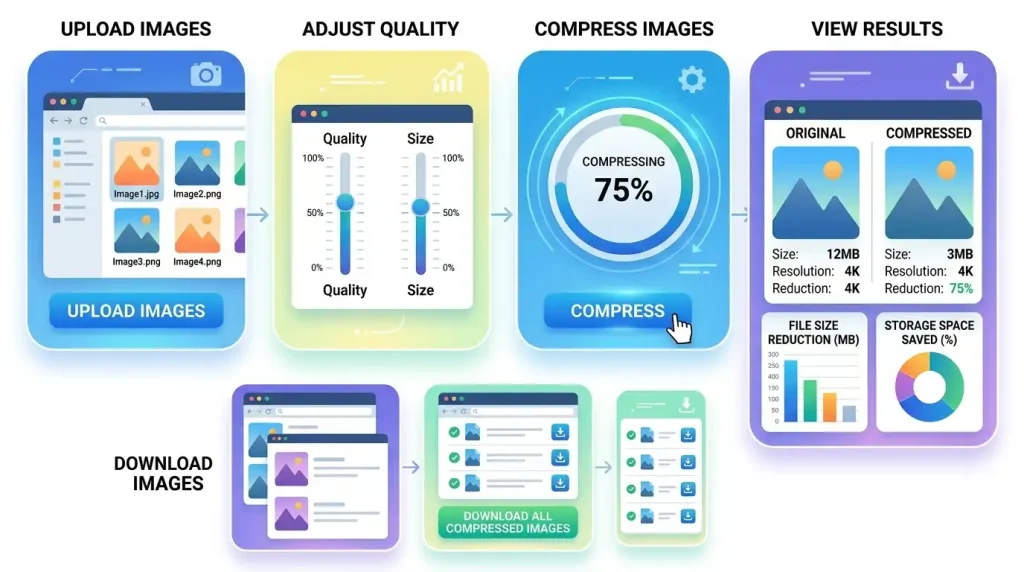
Upload one image, multiple images, or an entire folder.
Step 2
Adjust the compression level using the slider.
Step 3
Click the Compress button.
Step 4
Preview and download your optimized images.
Key Features
Multi-Image Upload
Compress multiple images at the same time.
Folder Upload Support
Upload and compress entire folders in one go.
Adjustable Compression Slider
Control compression levels easily with a simple range slider.
High-Quality Output
Reduce file size while preserving image clarity.
Frequently Asked Questions
Is this Image Compressor free?
Yes, you can compress images online for free.
Can I upload multiple images?
Yes, the tool supports batch image compression.
Can I upload folders?
Yes, entire folders can be uploaded and compressed.
Will image quality be affected?
The tool is designed to reduce file size while maintaining visual quality.
Which image formats are supported?
Most common image formats are supported.
Are uploaded images stored?
No, uploaded images are processed securely and are not permanently stored.