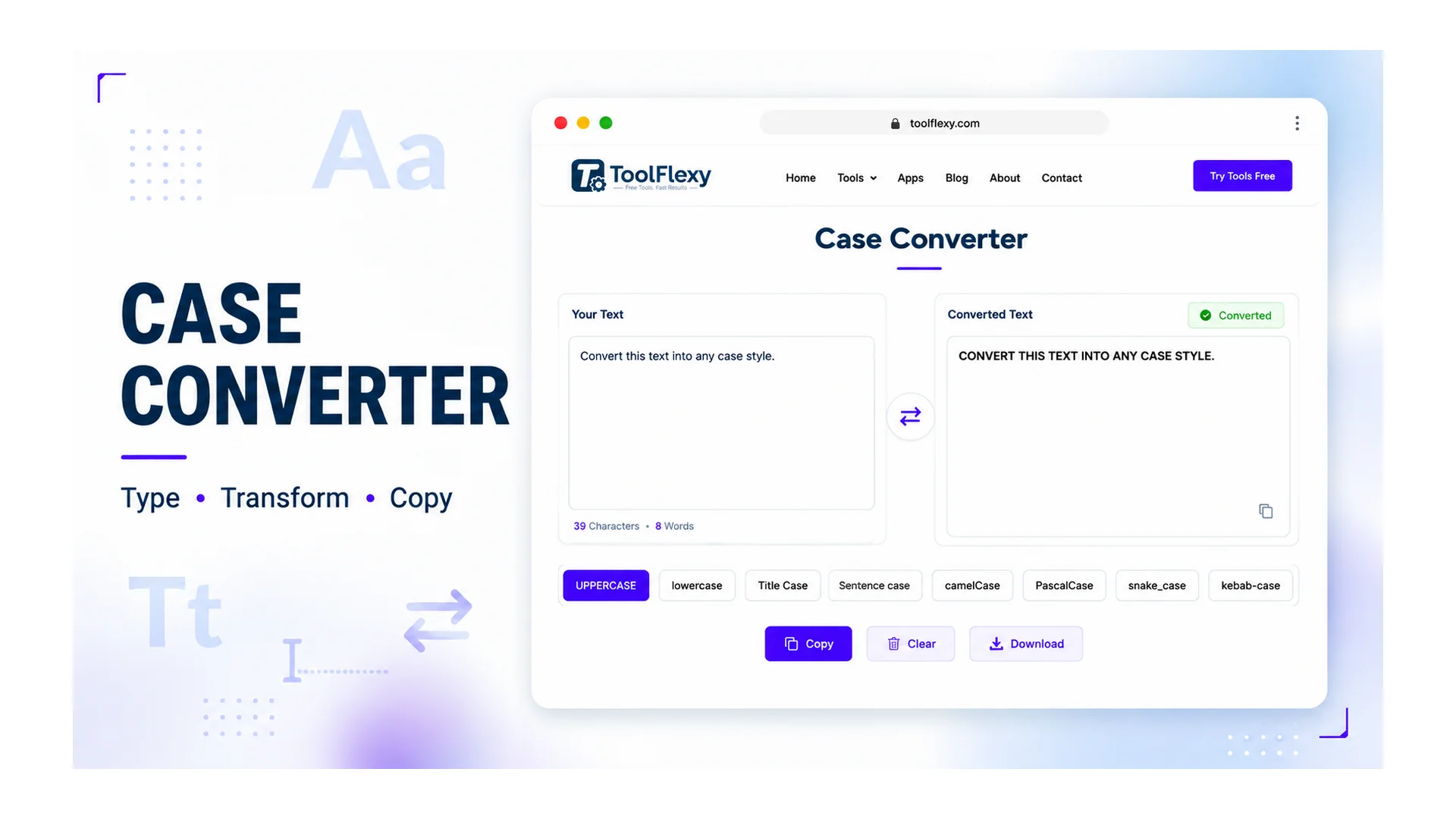
Your text is almost certainly stuck in ALL CAPS because Caps Lock was on without you noticing, or because it was copied from a source — a spreadsheet, an old document, a pasted email — that was already formatted that way. Either way, retyping it isn’t necessary: a case converter fixes the capitalization in one click while leaving every word, letter, and punctuation mark exactly as it was, no matter how long the passage is.
What Actually Happens When You “Convert Case”
Converting case only changes capitalization — it never touches spelling, word order, or punctuation. If you run “toolflexy CASE converter” through an uppercase conversion, you get “TOOLFLEXY CASE CONVERTER” back, not a spelling-corrected or reworded version. That distinction matters because it means the tool is safe to use on finished text without any risk of altering meaning.
All 12 Case Styles This Converter Handles
ToolFlexy’s free case converter supports twelve distinct styles — seven for prose and five for code identifiers — converts instantly as you type or paste, and shows a live character, word, and line count as you work. Here’s what the same text looks like in each:
| Style | Example output |
|---|---|
| UPPERCASE | HELLO WORLD FROM TOOLFLEXY |
| lowercase | hello world from toolflexy |
| Title Case | Hello World From ToolFlexy |
| Sentence case | Hello world from toolflexy |
| Capitalized Case | Hello World From Toolflexy |
| aLtErNaTiNg cAsE | hElLo WoRlD fRoM tOoLfLeXy |
| InVeRsE CaSE | hELLO wORLD fROM tOOLfLEXY |
| camelCase | helloWorldFromToolFlexy |
| PascalCase | HelloWorldFromToolFlexy |
| snake_case | hello_world_from_tool_flexy |
| CONSTANT_CASE | HELLO_WORLD_FROM_TOOL_FLEXY |
| kebab-case | hello-world-from-tool-flexy |
Why Does Caps Lock Even Cause This?
Caps Lock keeps triggering accidental all-caps text because of a keyboard layout decision made decades ago that most designers now consider a mistake. Caps Lock actually started life as “Shift Lock” on mechanical typewriters, meant to hold the shift mechanism down so a typist’s finger didn’t get tired holding it manually. Bell Labs engineer Douglas Kerr patented an electronic version around 1968 after his boss’s secretary kept accidentally typing symbols like “@#$%” instead of numbers with Shift Lock engaged, and the first commercial Caps Lock key shipped on the 1974 DECwriter II terminal.
The real trouble started in 1984, when IBM moved Caps Lock to the prominent spot directly left of the “A” key on its keyboards — exactly where the “Control” key used to be. That placement is why decades later people still hit it by accident mid-sentence, and why it disrupts typing case-sensitive passwords more than almost any other key. The criticism was serious enough that Google removed the physical Caps Lock key entirely from early Chromebook keyboards, replacing it with a dedicated search key instead.
Fixing the Most Common Problem: Accidental ALL CAPS
The single most common reason people land on a case converter is a Caps Lock accident — an email, a form field, or a document that got typed entirely in capitals without anyone noticing until it was too late. Paste it into ToolFlexy’s converter, choose Sentence case or Title Case depending on what you’re fixing, and the corrected version is ready to copy in under a second — no retyping the whole thing from scratch.
Beyond Fixing Caps Lock
Title Case earns its keep on headlines, blog post titles, and document headings, where “the Quick Fox Jumps” needs to become “The Quick Fox Jumps” without you manually recapitalizing every major word. Sentence case is the one to reach for when you’ve pasted text from a source that used inconsistent or all-lowercase formatting — old chat logs, scraped data, a spreadsheet column — and just need normal, readable capitalization back. ToolFlexy’s word counter pairs naturally with this workflow if you’re cleaning up a document and need both the formatting and the length checked at once, and the sentence counter is useful for the same cleanup pass if you also need a sentence-level count.
Does This Happen on Phones Too?
Yes, though the mechanism is different — most phones don’t have a physical Caps Lock key, but double-tapping the shift key on iOS or Android locks capitals the same way, and it’s just as easy to trigger by accident while typing quickly. Autocorrect and auto-capitalize settings add a second layer of unpredictability on mobile, occasionally capitalizing words mid-sentence that a desktop keyboard never would. The fix is identical either way: paste the result into a case converter rather than trying to manually undo it letter by letter on a small screen.
How Much Time Does This Actually Save?
Manually retyping a 200-word all-caps paragraph correctly — fixing every letter’s shift state while not introducing new typos — realistically takes several minutes, even for a fast typist, because you’re not just typing, you’re proofreading character-by-character as you go. Pasting the same paragraph into a case converter and picking the right style takes under five seconds, with zero risk of introducing a new spelling mistake in the process, since the original letters and words are never touched.
That time difference compounds fast for anyone doing this regularly. A data-entry team cleaning up a spreadsheet column, a student fixing a lab report typed with Caps Lock on for an hour without noticing, or a writer standardizing inconsistent capitalization across a long document all save meaningfully more time the larger the text gets — while retyping only gets slower and riskier at scale.
It Also Handles Programming Case Styles
Beyond the seven prose styles above, this converter also covers five code-identifier styles — camelCase, PascalCase, snake_case, CONSTANT_CASE, and kebab-case — so you can reformat variable and function names to match a coding style guide. It detects word boundaries whether your input uses spaces, hyphens, underscores, or is already in camelCase or PascalCase, so “user name”, “user_name”, and “userName” all convert to the same result in any of the other eleven styles.
Is It Safe to Paste Sensitive Text Into This Tool?
Yes — every conversion runs locally in your browser using JavaScript, so the text you paste is never uploaded to a server, logged, or stored anywhere. That’s a meaningfully different privacy model from tools that process your text server-side, and it’s worth confirming before pasting anything sensitive into any online text tool, not just this one.
Conclusion
Whether it’s one Caps-Lock-ruined sentence, a mobile autocapitalize mishap, or an entire pasted document, fixing capitalization shouldn’t mean retyping anything from scratch. The seven styles here cover the situations that actually come up — accidental all-caps, headline Title Case, and normalized Sentence case among them — while staying honest about what the tool isn’t built for, like programming-identifier casing. Try ToolFlexy’s free case converter — no character limit, no sign-up, and nothing you paste ever leaves your browser.