
Mostly, yes, in most everyday cases — and for the parts where it can’t, knowing why makes the difference between a clean result and a photo that needs a second pass. ToolFlexy’s free background remover online uses AI image segmentation to detect your subject and strip the background automatically, handling hair and fine edges that used to require patient manual tracing.
How AI Background Removal Actually Works
Modern background removers use a semantic segmentation neural network trained on large sets of labeled images to classify each pixel as subject or background, producing a matte — a grayscale mask where edge pixels get intermediate gray values instead of a hard black-or-white cutoff. That partial-value approach is exactly what produces smooth, anti-aliased edges instead of the jagged, obviously-cut-out look older tools were known for.
The real technical leap isn’t segmentation itself but matting: instead of classifying a pixel as fully foreground or fully background, matting estimates a continuous transparency value per pixel. That distinction is what makes a believable hair or fur edge possible at all — a single pixel at the edge of a strand of hair is often partially covered by background, and a hard yes/no classification simply can’t represent that, while a matting model can.
Where Background Removal Still Struggles
Motion blur is a genuine problem for any segmentation model, since it spreads the true subject edge across many pixels and makes the actual boundary ambiguous even to a matting algorithm — a sharp, well-lit photo gives the model a real edge to find, while a blurry one gives it a guess. Semi-transparent subjects like glass or sheer fabric are a different kind of hard: the correct output actually needs to preserve some background visibility through the subject rather than cut it away entirely, which is a fundamentally different task than a normal opaque cutout.
Free Background Remover Online vs. a Green-Screen Setup
Chroma key (green screen) removal is deterministic color substitution — it needs a controlled, evenly lit solid-color backdrop and simply removes that specific color range, with no AI or model involved at all. It fails outright if the subject wears anything close to the screen’s color, but on a proper setup it’s essentially perfect since it isn’t guessing. AI-based background removal works on any real-world background with no special backdrop required, trading that flexibility for probabilistic accuracy — it can misjudge a tricky edge in a way a correctly-lit green screen simply never would.
How to Remove a Background in 3 Steps
- Upload your image. JPG, PNG, and WEBP are all supported.
- Let the AI detect your subject. Detection and separation happen automatically the moment the image finishes uploading — no manual tracing or selection needed.
- Choose your output. Download as a transparent PNG, or swap in a solid color or WebP/JPG background instead.
One thing worth knowing upfront: processing happens on ToolFlexy’s servers rather than purely in your browser — the image is encrypted in transit and removed from the server shortly after processing, but it does leave your device during the process, unlike a fully browser-based tool.
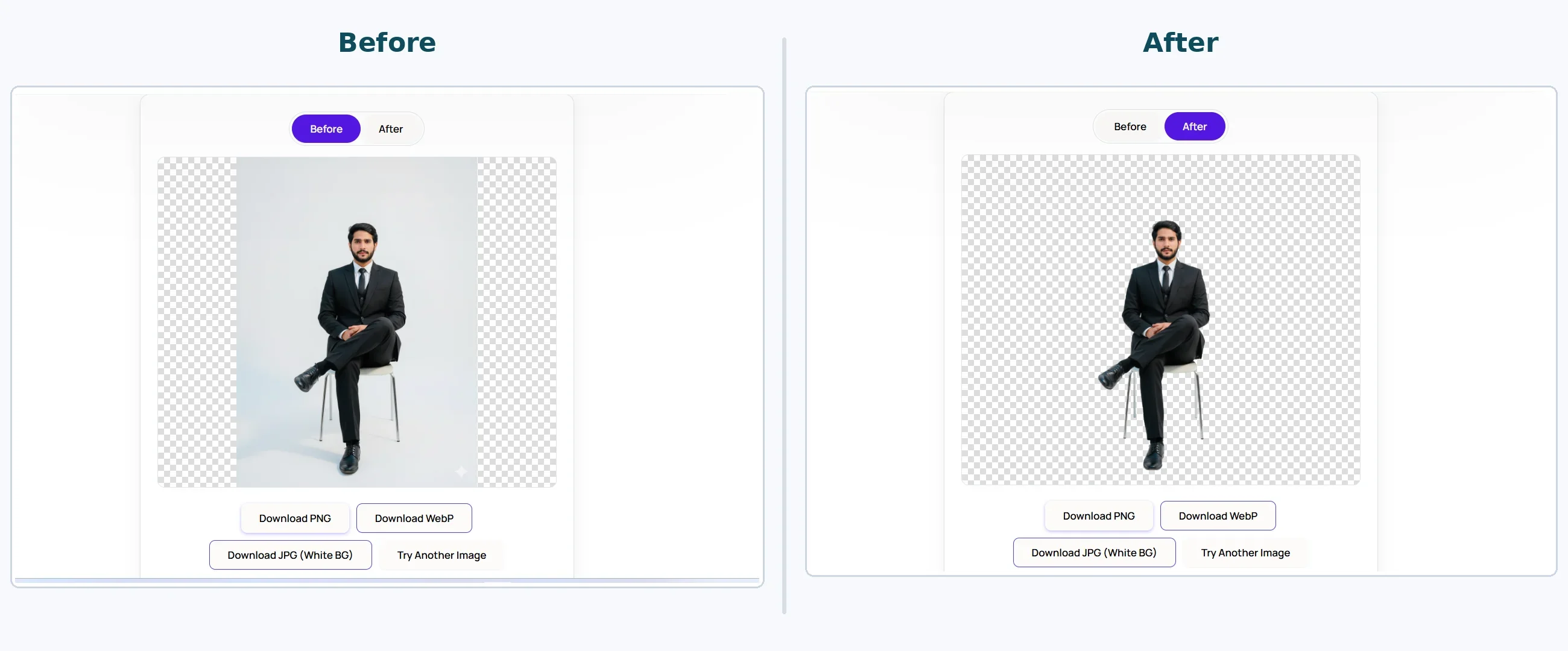
Real before/after result using ToolFlexy’s Background Remover — original photo vs. background removed
Getting a Clean Result on the First Try
Since motion blur is a real limiting factor for any segmentation model, a sharp, well-lit source photo will consistently outperform a slightly blurry one, even if the blur isn’t very noticeable to the eye at normal viewing size. Even lighting around the subject also matters more than most people expect — heavy shadows near an edge can look, to a segmentation model, like part of the background rather than a lighting artifact on the subject, occasionally producing a slightly rough edge exactly where a shadow falls. Diffused, even lighting from multiple angles minimizes this, while a single harsh light source is more likely to cast the kind of hard-edged shadow that confuses an edge-detection step.
Real Situations Where This Actually Gets Used
E-commerce sellers need a consistent white or transparent background across dozens of product photos taken in inconsistent lighting — removing backgrounds in batch, one after another with no cooldown between uploads, replaces what used to be a per-image manual editing task. ID photos and headshots often need a plain, uniform background regardless of what was actually behind the subject when the photo was taken, and swapping in a solid color after the fact is faster than re-shooting against a proper backdrop.
Why Some Photos Take Longer to Look Right Than Others
A subject photographed against a plain, contrasting background — a person in a dark shirt against a light wall, for instance — gives a segmentation model an easy, high-confidence edge to find, and typically produces a clean result on the very first try. A subject with hair or clothing that’s close in color or tone to the background behind it gives the model far less contrast to work with, which is exactly the situation where a slightly rough edge is most likely to show up, regardless of how good the underlying model is. This isn’t a flaw specific to any one tool — it’s a fundamental limit of how segmentation models find edges, and it applies to every AI background remover, not just this one.
Resolution plays a similar role: a higher-resolution source photo gives the model more actual pixel data to work with at a subject’s edge, which tends to produce a cleaner matte than the same subject photographed at a much lower resolution and then processed. This matters most exactly at the hardest parts of an image — fine hair strands, fabric texture, small gaps between fingers — where a lower-resolution source simply doesn’t contain enough detail for even a well-trained model to resolve accurately.
Batch Processing for Product Photography
An online store with dozens or hundreds of product photos, often shot in inconsistent lighting or against different backgrounds session to session, benefits from batch background removal more than almost any other use case — normalizing every listing to the same clean background used to mean opening each photo individually in an editor and tracing around the product by hand. Processing one image after another with no cooldown or per-image limit turns what used to be a per-photo editing task into something closer to a bulk operation, which matters more the larger a product catalog actually is.
Explore More Free Image Tools on ToolFlexy
- Image Resizer — resize a background-removed product photo to a platform’s exact dimensions.
- Image Compressor — shrink the file size of a transparent PNG before uploading it to a listing.
Conclusion
AI background removal handles most everyday photos convincingly on the first try, and understanding where it genuinely struggles — low-contrast edges, motion blur, glass, and other hard cases — makes it much easier to get a clean result without needing a second attempt or a manual touch-up afterward. ToolFlexy’s free background remover online processes images in batch with no sign-up and no daily limit, handling most everyday product photos, portraits, and ID photos in a couple of seconds each.