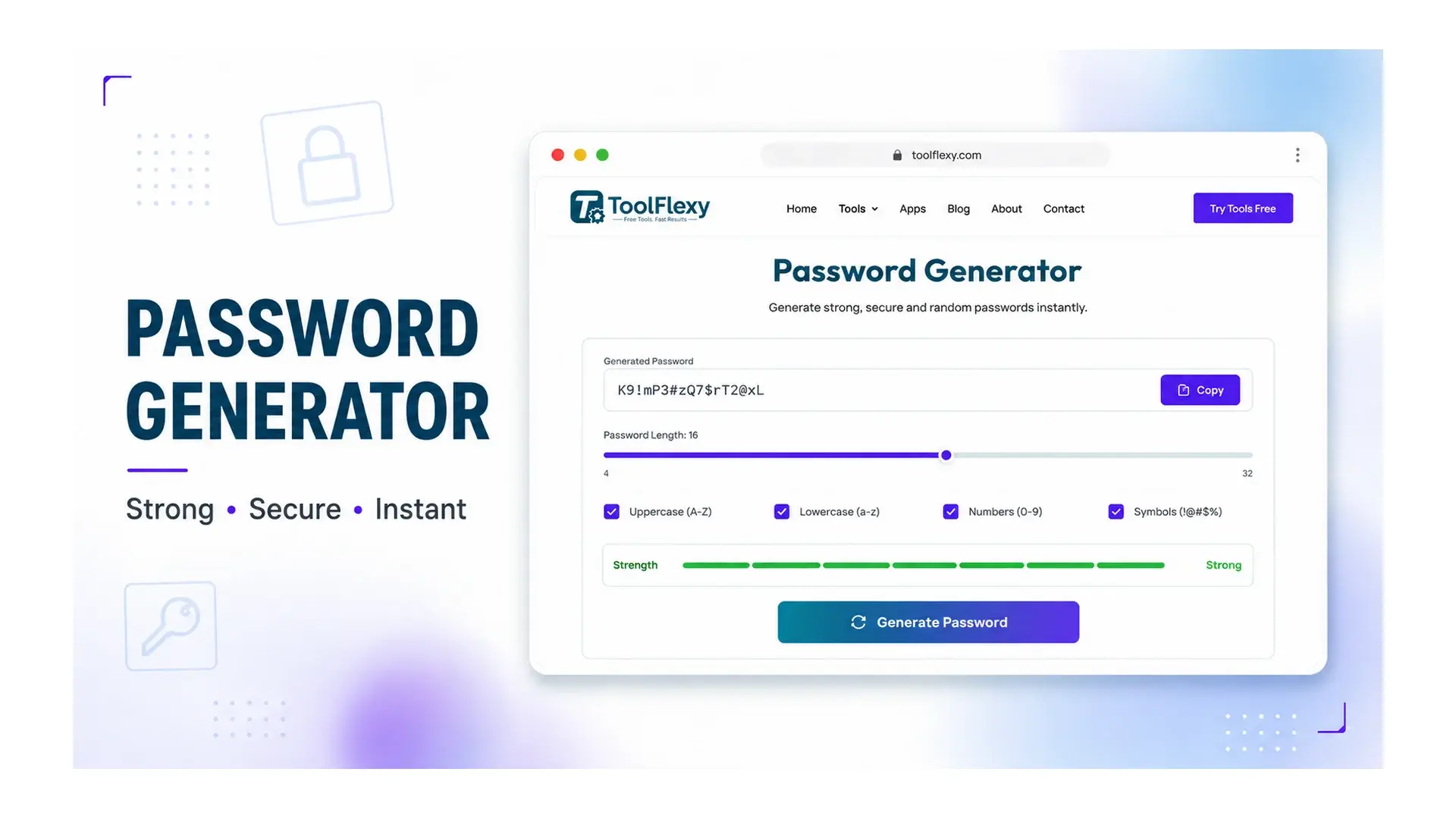
Length matters more than complexity — a random 16-character password without a single symbol is harder to crack than an 8-character one stuffed with “@” and “1” substitutions, because password strength comes overwhelmingly from how many possible combinations an attacker has to try, not from how many rule categories it satisfies. ToolFlexy’s free password generator creates truly random passwords up to your chosen length, with a real-time strength meter, entirely in your browser.
What NIST Actually Recommends for Passwords in 2026
The U.S. National Institute of Standards and Technology’s current digital identity guidelines (SP 800-63B) directly contradict several password habits that were standard advice for years. Systems should allow passwords up to at least 64 characters, and NIST now sets a 15-character minimum for any password used as the sole authentication factor. Two other rules matter just as much: verifiers should not force composition rules like “must include a symbol and a number,” and should not require periodic password changes on a schedule — only when there’s actual evidence of compromise.
The reasoning behind both dropped rules is the same: forced complexity and forced rotation both tend to push people toward predictable patterns (“Password1!” this year, “Password2!” next year) rather than genuinely stronger passwords, while adding real length does the opposite.
Why Length Beats Complexity: The Actual Numbers
Hive Systems publishes an annual password-cracking benchmark using real GPU hardware, and their 2026 data makes concrete exactly why using a strong password generator matters more than manually tweaking a memorable phrase. An 8-character password using all four character types (upper, lower, numbers, symbols) takes an estimated 132 years to crack against modern hardware — but an 8-character password using lowercase letters only takes roughly 2 weeks. That’s the complexity difference. Length closes the gap even faster: extending a password well past 8 characters, even without adding symbols, increases the total combination space exponentially in a way complexity rules alone can’t match.
One notable trend in Hive’s yearly data: that same 8-character, full-complexity password took 225 years to crack in 2024 and 164 years in 2025 — the estimated crack time keeps dropping every year purely from GPU hardware getting faster, with no change to the password itself. A password that felt “strong enough” two years ago is measurably weaker today against the same attack, which is the real argument for generating passwords longer than the historical rules of thumb suggest.
Does AI Actually Make Passwords Easier to Crack?
Not in the way headlines usually suggest. Hive Systems’ 2026 testing found that a dedicated AI accelerator performed no better — sometimes worse — than a consumer gaming GPU at raw password-hash cracking against a properly-salted hash like bcrypt, because brute-force hash cracking is a different kind of computation than the pattern-matching AI chips are optimized for. Where AI genuinely does lower the barrier for attackers is in orchestrating large rented GPU fleets more efficiently and in improving phishing and social-engineering attacks — not in mathematically cracking a strong, properly-hashed password any faster than before.
Why a Strong Password Generator Beats Making One Up Yourself
People are genuinely bad at being random on purpose — asked to type a “random” string, most people unconsciously fall back on patterns: familiar keyboard sequences, favorite numbers, or predictable substitutions, all of which narrow the actual search space an attacker has to try far more than they realize. A strong password generator sidesteps this entirely by pulling from a genuinely random character pool with no human pattern bias baked in, which is exactly the property that makes NIST’s math about crack-resistance actually apply.
The other practical advantage is speed: generating a new, unique password for every account takes seconds with a tool built for it, versus the mental effort of inventing and remembering a fresh strong password by hand each time — which is usually the real reason people end up reusing passwords across multiple sites in the first place.
How to Generate a Strong Password in 4 Steps
- Set your length. 16 characters is the default and a solid baseline; go longer for anything protecting sensitive accounts.
- Choose character sets. Toggle uppercase, lowercase, numbers, and symbols independently.
- Exclude ambiguous characters if needed. An option removes easily-confused characters like l, 1, I, O, and 0 — useful if you’ll ever need to type the password manually.
- Generate and check the strength meter. The password generator creates it instantly in your browser — nothing is transmitted to or stored on a server.
Common Password Mistakes That Undo Even a Strong One
Reusing a strong password across multiple accounts means one breached site compromises every other account using it — length and randomness don’t help if the same password sits in a leaked database somewhere. Predictable substitutions (swapping “a” for “@”, “s” for “$”) feel like they add complexity but are well-known enough to attacker tools that they add far less real security than genuinely random characters do. And a strong password saved in a plain text file, a sticky note, or an unencrypted document undermines the whole point — the password itself might resist cracking, but it’s still exposed to anyone who finds where it’s written down.
Should You Use a Password Manager Too?
NIST’s current guidelines explicitly endorse password managers and support pasting passwords into login fields, specifically because that combination makes genuinely random, unique, long passwords practical to use across dozens of accounts without memorizing any of them. Generating a strong password here and storing it in a password manager, rather than trying to memorize a long random string, is the practical version of following the length-over-complexity advice above.
What “132 Years to Crack” Actually Means
Crack-time estimates like Hive Systems’ 132-year figure describe an average-case brute-force attack against a properly-hashed password using current consumer and enterprise GPU hardware — not a guarantee that a specific password will survive exactly that long, and not a measure against every possible attack method. A password can still be compromised in seconds through phishing, a data breach exposing it in plain text, or reuse across a site that stores passwords insecurely, regardless of how long it would theoretically take to brute-force. The number is useful for comparing relative strength between password choices, not as a literal countdown clock on any single password’s safety.
This is also why length and randomness solve a narrower problem than people sometimes assume: they protect specifically against brute-force guessing, not against a password being stolen directly from a breached database, entered into a fake login page, or written down somewhere it shouldn’t be. Treating a generated password as one layer of a broader security habit — unique per account, stored securely in a password manager, and paired with two-factor authentication wherever it’s available — covers the gaps that raw password strength alone simply can’t.
Explore More Free Generators on ToolFlexy
- QR Code Generator — create a QR code alongside setting up a new account’s login details.
- Word Counter — check length limits on security questions or account recovery notes.
- UUID Generator — generate a unique ID for a new account, API key, or session token alongside your password.
Conclusion
A strong password comes down to length and true randomness far more than complexity rules ever did, and current NIST guidance has formally caught up with that reality — 15+ characters, no forced symbol requirements, no scheduled rotation. ToolFlexy’s password generator builds one instantly in your browser, with a real-time strength meter and nothing ever sent to or stored on a server.