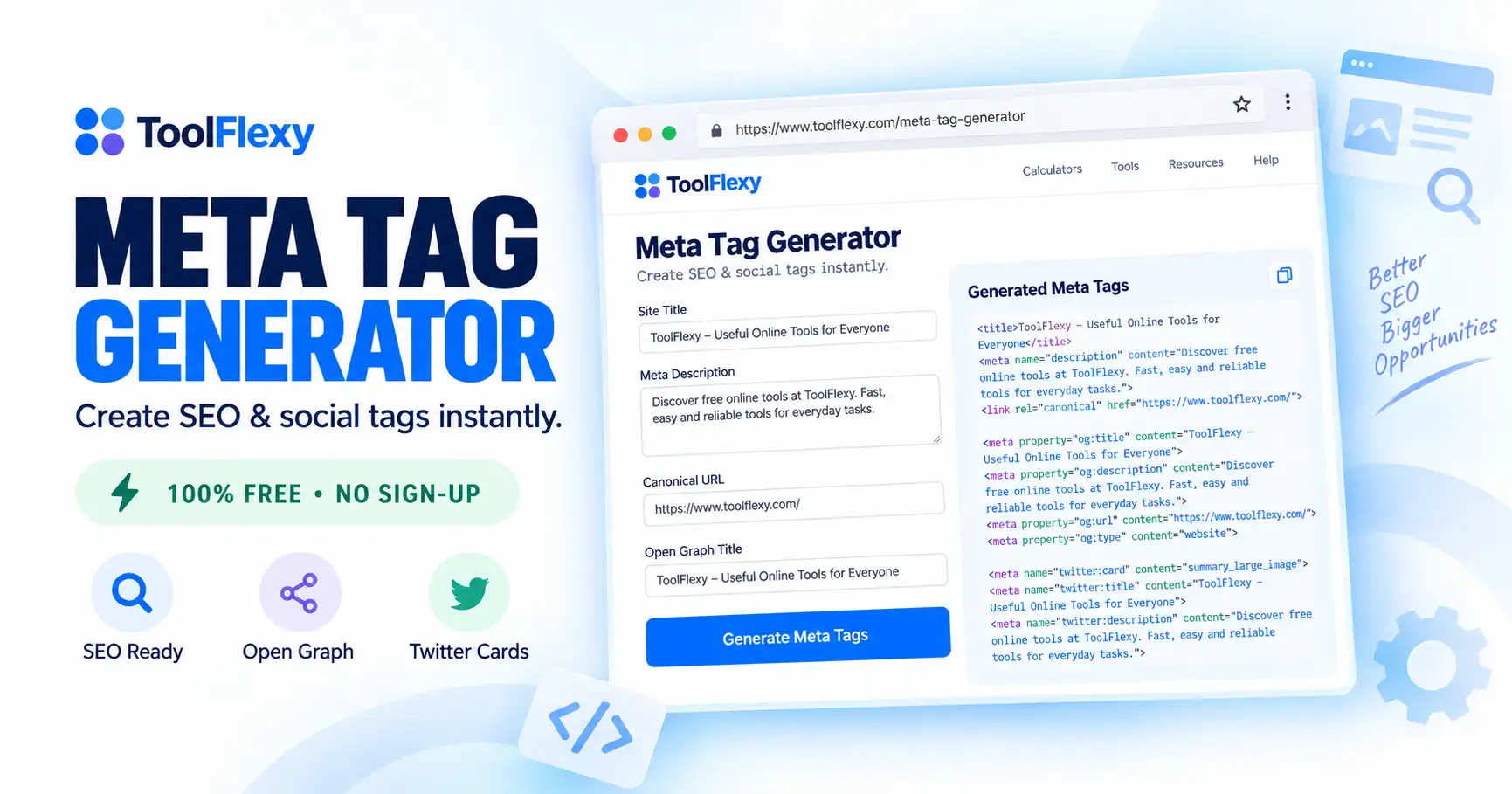
A meta tag generator is a tool that creates the HTML code for your page’s title, description, social sharing tags, and other metadata automatically, so you don’t have to write and format it by hand. ToolFlexy’s free Meta Tag Generator covers everything from basic SEO tags to Open Graph and Twitter Card tags for social sharing, all in one copy-paste-ready code block.
Meta tags have changed a lot over the years — some, like meta keywords, barely matter to Google anymore, while others, like Open Graph tags, are essential if you want your page to look right when shared on Facebook or X. This guide covers exactly what each tag does, which ones are still worth your time, and how to generate and add them to your site.
👉 Try the free Meta Tag Generator now — no sign-up, instant HTML output
What Is a Meta Tag Generator?
A meta tag generator is a tool that takes basic information about your page — a title, a description, keywords, and social sharing details — and turns it into properly formatted HTML meta tags you can paste directly into your site’s <head> section. ToolFlexy’s Meta Tag Generator does this entirely in your browser, with no sign-up and nothing stored on a server.
What Meta Tags Does This Tool Generate?
ToolFlexy’s Meta Tag Generator produces a complete set of tags in one pass, covering both traditional SEO metadata and social sharing tags:
| Tag Type | What It Does |
|---|---|
| Title & Description | The core SEO tags search engines display in results |
| Keywords | A legacy tag most major search engines now ignore for ranking |
| Robots | Tells search engines whether to index the page and follow its links |
| Charset | Declares character encoding (UTF-8, ISO-8859-1, or Windows-1252) |
| Canonical & Language | Prevents duplicate-content issues and declares the page’s primary language |
| Open Graph Tags | Controls how the page looks when shared on Facebook and other platforms |
| Twitter Card Tags | Controls how the page looks when shared on X (Twitter) |
| Author & Revisit-After | Optional metadata for attribution and crawl-frequency hints |
How to Generate Meta Tags (Step by Step)
Here’s exactly how to create your meta tags using ToolFlexy’s free Meta Tag Generator:
- Enter your site title, description, and keywords. These three fields are required.
- Set your robots preferences. Choose whether search engines should index the page and follow its links.
- Pick your character set and language. Choose from UTF-8, ISO-8859-1, or Windows-1252, and select from 11 language options.
- Add social sharing details. Enter a title, description, and image URL specifically for how the page appears when shared on social platforms.
- Copy the generated code. Click copy-to-clipboard and paste the full HTML snippet directly into your page’s <head> section.
Do Meta Keywords Still Matter for SEO in 2026?
No — the meta keywords tag has been publicly ignored by Google’s ranking algorithm since 2009, and none of the other major search engines give it meaningful ranking weight either. ToolFlexy’s generator still includes it as an optional field because a small number of niche search engines and legacy content management systems still read it, and because some SEO audits check for its presence for consistency — but you should not expect it to affect your Google rankings in any way — Google’s own Search Central documentation on meta tags confirms which tags it actually supports and reads.
The tags that genuinely still matter for SEO in 2026 are the title tag, meta description (for click-through rate, not rankings directly), canonical tags (to avoid duplicate-content penalties), and robots directives (to control what gets indexed).
What Are Open Graph and Twitter Card Tags (and Why Do They Matter)?
Open Graph and Twitter Card tags control exactly how your page’s title, description, and image appear when someone shares your link on Facebook, LinkedIn, X, or similar platforms — without them, social platforms guess at what to display, often pulling the wrong image or a truncated, awkward snippet of text. Getting these tags right is a small technical detail that has an outsized effect on click-through rates from social shares, since a clean, intentional preview card gets clicked far more than a broken or generic-looking one.
Do Meta Tags Matter for AI Search Results Too?
Yes — AI-powered search features like Google’s AI Overviews and chatbot-based search tools still rely on your title and meta description to understand what a page is about before deciding whether to reference or cite it, alongside the page’s actual content. A vague or missing meta description doesn’t just hurt a traditional search snippet — it removes one of the clearest, most concise signals an AI system has for summarizing your page accurately, making well-written meta tags more relevant now, not less, as AI search grows.
Common Meta Tag Mistakes to Avoid
A handful of repeated mistakes account for most meta tag problems seen across real websites:
- Using the same title and description on every page — this confuses both search engines and readers about what makes each page unique.
- Writing a description that doesn’t match the page’s actual content — search engines will often rewrite or ignore a misleading description anyway.
- Skipping Open Graph tags entirely — leaving your social share appearance up to guesswork.
- Stuffing the keywords field with unrelated terms — pointless for rankings since the tag itself carries no ranking weight, and it wastes time better spent on the title and description.
- Forgetting to update meta tags after a major page rewrite — leaving stale, inaccurate metadata live long after the content has changed.
How to Add Generated Meta Tags to Your Website
Once you’ve copied your generated meta tags, paste them directly into the <head> section of your page’s HTML, above the closing </head> tag. If your site runs on WordPress, most SEO plugins (like Rank Math or Yoast) let you paste custom Open Graph and Twitter Card values directly into their settings instead of editing theme files by hand — check your specific plugin’s meta tag or social sharing settings first, since manually adding duplicate tags a plugin already generates can cause conflicts.
Explore More Free Dev & SEO Tools
If you’re working on a website’s technical SEO, these ToolFlexy tools pair well with the Meta Tag Generator:
- JSON Syntax Error Checker — validate structured data and config files alongside your meta tags
- CSS Gradient Generator — build styling code for the same page you’re optimizing
- Word Counter — check your title and description lengths before finalizing them
Conclusion
Getting your meta tags right is less about generating a long list of legacy fields and more about correctly setting the handful that still matter — title, description, canonical, robots, and the Open Graph and Twitter Card tags that control your social sharing appearance. ToolFlexy’s free Meta Tag Generator creates all of them in one pass, as copy-paste-ready HTML, with no sign-up and nothing stored on a server.